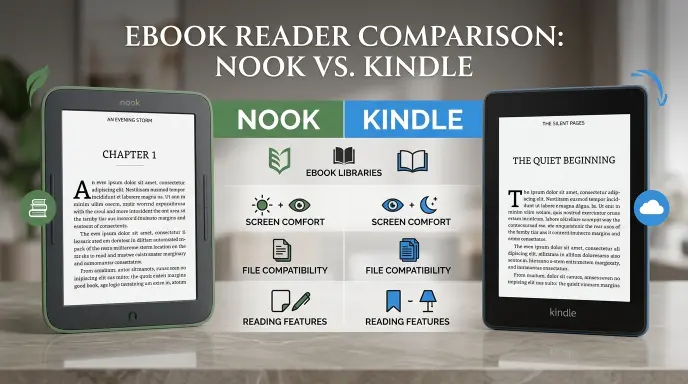
Choosing between a Nook or Kindle can be challenging, especially when both offer convenient ways to enjoy your favorite books without carrying a heavy library. Whether you love reading novels, exploring educational content, or enjoying books while traveling, the right e-reader can make a big difference in your daily reading experience. However, choosing the best option involves more than comparing prices or screen sizes. You also need to consider ebook availability, device features, file compatibility, battery life, and the overall reading experience. So, which is better: Nook or Kindle? The answer depends on your reading habits, budget, and preferred digital bookstore. Understanding their differences can help you make a confident decision without spending money on features you may never use.
When comparing Nook vs Kindle, it is important to understand what makes each platform unique. Kindle belongs to Amazon and connects readers with its extensive ebook store, while Nook is associated with Barnes & Noble and offers its own digital reading ecosystem. Certain Nook models appeal to readers who prefer physical page-turn buttons and straightforward ebook file management, whereas Kindle attracts readers who value Amazon integration, device synchronization, and subscription options. These differences can vary by model, so checking the specifications of the exact devices you are considering is essential. Rather than assuming one e-reader is automatically better, readers should compare the features that matter most to them.
In this guide, we will explore the key differences between Nook and Kindle, including display quality, ebook libraries, supported file formats, reading comfort, pricing considerations, and overall value. You will also learn which option may be more suitable for students, frequent travelers, casual readers, and dedicated book lovers. Our comparison focuses on practical buying considerations instead of relying on brand popularity alone. By examining the advantages and limitations of both options, you can identify the e-reader that best matches your needs. The ultimate goal is to help you choose a device that makes reading easier, more enjoyable, and convenient for years to come. Whether you are buying your first e-reader or upgrading an existing one, this comparison will help you make a more informed choice.
Nook vs Kindle: What’s the Difference?
The main difference between Nook and Kindle is their reading ecosystem. Nook devices belong to Barnes & Noble, while Kindle devices belong to Amazon. Both provide digital reading experiences, adjustable text sizes, and built in lighting on many models. However, their purchasing options, supported formats, library borrowing methods, and available features vary.
| Feature | Nook | Kindle |
|---|---|---|
| Brand | Barnes & Noble | Amazon |
| Main purpose | Reading ebooks | Reading ebooks |
| Bookstore | Barnes & Noble | Amazon Kindle Store |
| Device range | Dedicated ebook readers | Dedicated ebook readers |
| Screen technology | E ink on dedicated readers | E ink on dedicated readers |
| Reading comfort | Designed for extended reading | Designed for extended reading |
| Book purchases | Primarily through Barnes & Noble | Primarily through Amazon |
| File support | Varies by model and format | Varies by model and format |
| Library borrowing | Supported through compatible services and formats | Supported through supported borrowing methods |
| Best suited for | Readers who prefer Barnes & Noble | Readers who prefer Amazon |
Quick recap
Nook and Kindle serve the same basic purpose, but they connect readers to different digital bookstores.
Furthermore, neither brand is automatically better for everyone.
Your existing ebook collection, preferred bookstore, borrowing habits, and budget should guide your decision.
Ultimately, the best device is the one that makes your reading routine easier and more enjoyable.
Is Nook vs Kindle a Grammar, Vocabulary, or Usage Issue?
The comparison between Nook and Kindle is primarily a product vocabulary and technology question, rather than a grammar issue. Both names identify branded reading products, so their meanings depend on the context in which they appear.
Are Nook and Kindle interchangeable?
Not exactly. Although both names can refer to ebook readers, they identify different brands and ecosystems. Therefore, calling a Nook device a Kindle is inaccurate in the same way that confusing two different phone brands can cause misunderstandings.
However, the names sometimes appear in casual conversations as examples of electronic reading devices. In that context, people may focus on their shared purpose rather than their differences.
Formal versus informal usage
In formal writing, product descriptions, purchase requests, and technical documents should identify the correct brand. For instance, a customer asking for assistance with a Kindle should specify the Amazon device they own.
Conversely, informal conversation allows broader descriptions such as ebook reader or digital book reader. These expressions communicate the general category without naming a particular manufacturer.
Academic versus casual usage
In an academic assignment about digital publishing, it is useful to distinguish the companies, their products, and their business models. By comparison, a casual discussion about reading in bed may not require detailed brand distinctions.
Nevertheless, whenever accuracy matters, use the correct name. This approach prevents confusion in research, customer support, product reviews, and shopping decisions.
When Should You Choose Nook?
Nook may be a sensible choice if you already purchase books from Barnes & Noble or prefer its digital reading environment. Nevertheless, the specific device and its supported services matter more than the brand name alone.
Workplace example
Suppose an employee regularly reads digital manuals and professional books purchased through Barnes & Noble. In that case, a compatible Nook reader could fit the employee’s existing collection.
However, if the employee’s organization distributes reading materials through another platform, compatibility should be checked before purchasing a device.
Academic example
Consider a university student who buys assigned readings through Barnes & Noble. A Nook reader may provide a convenient way to organize compatible titles, enlarge text, and read without carrying several printed books.
Even so, students should check whether required textbooks are available in a suitable ebook edition. Some academic materials include interactive exercises, restricted access, or layouts that work better on a tablet or computer.
Technology example
Nook readers use electronic ink screens on dedicated ebook models, making them suitable for reading text for extended periods. Depending on the model, readers may also receive adjustable lighting, touchscreen navigation, and wireless connectivity.
However, supported file formats and transfer methods differ between devices. Therefore, confirm that your existing files can be opened before moving your collection.
Nook usage recap: Choose Nook when its bookstore, compatible reading materials, and available device features suit your needs. Meanwhile, compare the exact model specifications rather than assuming every Nook reader offers identical capabilities.
When Should You Choose Kindle?
Kindle is a strong option for readers who purchase ebooks through Amazon or already maintain a substantial Kindle library. Furthermore, its ecosystem can simplify access to compatible books across supported Kindle devices and reading applications.
Workplace example
Imagine a consultant who purchases business books from Amazon and reads during flights. A Kindle reader may make it convenient to keep several compatible titles on one lightweight device.
Additionally, adjustable text sizes and built in lighting on supported models can make reading more comfortable in different environments.
Academic example
A student who purchases course related ebooks through the Kindle Store may appreciate having several titles available on a single device. Moreover, selected Kindle models offer highlighting, note taking, and dictionary features that support study.
Nevertheless, a Kindle is not automatically suitable for every textbook. Complex diagrams, color illustrations, and fixed page layouts may be easier to navigate on a larger screen.
Technology example
Kindle readers use electronic ink technology on dedicated reading devices. Depending on the model, features may include adjustable warm lighting, waterproof construction, or other reading enhancements.
Furthermore, Amazon provides reading applications for compatible phones, tablets, and computers. These applications can help readers access eligible books without owning a dedicated Kindle device.
Kindle usage recap: Choose Kindle if Amazon is your preferred ebook store or your existing collection already depends on its services. However, check file compatibility, borrowing restrictions, and individual model features before making a purchase.
When You Should NOT Use Nook or Kindle
Although the names often appear in discussions about digital books, neither product is appropriate for every reading situation. Consider these common mistakes before deciding.
1. Do not choose either brand without checking textbook compatibility. Some academic books contain interactive content or complex page layouts that dedicated ebook readers handle less conveniently.
2. Do not assume every ebook file works on both devices. File extensions, digital rights restrictions, and device software can affect whether a book opens successfully.
3. Do not buy a device solely because it is inexpensive. A lower purchase price may not compensate for limited storage, missing features, or an incompatible collection.
4. Do not confuse an ebook reader with a general purpose tablet. Dedicated readers focus on books, whereas tablets usually offer a wider range of applications and multimedia features.
5. Do not assume that owning a book means owning every digital edition. A purchase may provide access to a particular licensed version rather than an unrestricted file.
6. Do not overlook library borrowing rules. Availability depends on the library, country, lending service, title, and compatible device or application.
7. Do not assume the newest model is necessary. Readers who mainly enjoy novels may find an older compatible model sufficient for their habits.
8. Do not ignore your existing bookstore account. Switching ecosystems can make organizing or accessing previously purchased titles less convenient.
Consequently, compare your reading habits, required file types, and long term costs before buying either device.
Common Mistakes and Decision Rules for Nook vs Kindle
Readers frequently compare the brands as if they were identical products. However, their shared purpose does not eliminate differences in compatibility, purchasing, and software.
| Correct sentence | Incorrect sentence | Explanation |
|---|---|---|
| I purchased a Nook reader from Barnes & Noble. | I purchased a Kindle reader from Barnes & Noble. | The sentence confuses the brands and their retail ecosystems. |
| I bought this ebook through the Kindle Store. | I bought this ebook through the Nook Store. | The second sentence is inaccurate if the purchase actually occurred through Amazon. |
| My Kindle library contains my eligible purchased books. | Every ebook file automatically works on my Kindle. | File compatibility and access restrictions can apply. |
| My Nook supports the formats listed for its model. | Every Nook supports every ebook format. | Support varies by device and software. |
| I checked whether my library book works on my reader. | Every library ebook works on every reader. | Lending arrangements and compatibility differ. |
| I compared the features of both devices. | I assumed both devices have identical features. | Models differ in lighting, controls, waterproofing, and other specifications. |
Decision rule
If you mainly purchase books through Barnes & Noble, consider Nook.
If you mainly purchase books through Amazon, consider Kindle.
If your priority is compatibility with existing ebooks, check the exact file format, licensing conditions, and device specifications before choosing either.
This decision rule is a starting point rather than a universal answer. Your preferred store matters, but screen size, accessibility features, borrowing options, and reading comfort can be equally important.
Nook and Kindle in Modern Technology
Modern ebook readers are part of a broader digital publishing environment. In addition to dedicated devices, both brands have reading software that can make eligible books accessible on compatible phones and tablets.
Cloud based services may synchronize reading progress, notes, or other information across supported devices. However, the exact capabilities depend on the application, account, title, and device.
Meanwhile, digital reading tools can help people search text, enlarge fonts, and organize reading material. Some third party services can also summarize documents or assist with study, although copyrighted content and privacy should be considered before uploading files.
Importantly, these tools do not make Nook and Kindle interchangeable. A book’s availability, licensing, and technical compatibility still determine where it can be read.
Nook or Kindle: Etymology and Brand Origins
The word nook has a long history in English. It generally means a small, sheltered, or secluded place. The name suits a product associated with quiet reading and personal literary spaces.
By contrast, Kindle is an ordinary English verb meaning to ignite, light, or stimulate something. In a figurative sense, it can describe inspiring interest or awakening enthusiasm.
Both brands use familiar English words to communicate an emotional connection with reading. Nevertheless, their commercial meanings are distinct from their dictionary definitions.
When writing about the products, capitalize Nook and Kindle because they are brand names. In ordinary prose, the lowercase words nook and kindle may have different meanings unrelated to the devices.
Expert Insight: How to Make the Right Choice
“The best ebook reader is not necessarily the one with the most features, but the one that fits your reading habits, preferred book collection, and everyday needs.”
This practical principle highlights an important point: a device should support the way you actually read. For example, someone who reads novels every evening may prioritize a comfortable screen and long battery life. Meanwhile, a student may value highlighting, note taking, and access to required textbooks.
Therefore, evaluate the complete reading experience instead of relying on brand popularity alone.
Two Practical Case Studies: Nook vs Kindle
The following examples are illustrative scenarios, not independently verified customer studies. They demonstrate how different reading needs can lead to different purchasing decisions.
Case Study 1: A frequent Barnes & Noble customer
Sarah regularly purchases fiction and nonfiction ebooks through Barnes & Noble. She wants a lightweight reader for commuting and evening reading.
Initially, she considers Kindle because it is widely recognized. However, after reviewing her existing purchases, she discovers that a compatible Nook would better match her preferred bookstore.
Her decision reduces the need to rebuild her collection around another store. Before purchasing, she checks the selected device’s screen features, file compatibility, and price.
Result: Nook becomes the more practical choice for her established purchasing habits, provided her preferred titles are available in compatible editions.
Case Study 2: A reader with an extensive Amazon library
Michael already owns numerous ebooks purchased through Amazon. He wants a dedicated reader for holidays and daily reading without carrying a tablet.
Although he considers switching to Nook, he realizes that his current library is an important factor. He compares Kindle models and selects one that provides the screen features and storage he needs.
Result: Kindle offers a more straightforward fit for his existing collection, avoiding an unnecessary change in reading ecosystem.
These scenarios illustrate why purchasing history, book availability, and everyday reading requirements can matter more than general brand rankings.
Error Prevention Checklist
Use this checklist before purchasing an ebook reader or describing either brand.
Always use Nook when
- You are referring specifically to a Barnes & Noble reading device or its relevant reading ecosystem.
- You have confirmed that your preferred titles are available in compatible editions.
- The selected model meets your screen, storage, and accessibility requirements.
- Your intended borrowing and file transfer methods are supported.
Never use Kindle when
- You are specifically referring to a Nook product.
- You are describing a purchase that actually occurred through Barnes & Noble.
- You have not verified that the device supports your required ebook format.
- You are assuming that every Amazon ebook can be exported or transferred without restrictions.
Likewise, do not use Nook as a generic substitute for every electronic reading device. Instead, use the broader expression ebook reader when the brand is unknown or irrelevant.
Related Grammar Confusions You Should Master
Although Nook versus Kindle is a product comparison rather than a grammar dispute, learning to distinguish similar terms can improve writing accuracy. The following comparisons are useful for everyday communication.
- Ebook vs paperback: A digital book compared with a printed book format.
- Reader vs tablet: A device designed primarily for reading compared with a multipurpose touchscreen computer.
- Download vs stream: Saving or transferring a file compared with accessing content through an ongoing connection.
- Buy vs borrow: Purchasing access to a book compared with receiving temporary lending access.
- Compatible vs interchangeable: Able to work together compared with capable of replacing one another in a particular role.
- Device vs application: A physical electronic product compared with software running on a device.
- Library vs bookstore: A collection or lending service compared with a place or platform for purchasing books.
- Digital vs digitized: Content existing in electronic form compared with material converted from another format.
- License vs ownership: Permission to use content under specified terms compared with broader notions of owning a physical object.
- Brand vs product: A commercial identity compared with a particular item sold under that identity.
Understanding these distinctions helps readers compare products without confusing their features, purposes, or commercial relationships.
Frequently Asked Questions
1. What is the main difference between Nook and Kindle?
Nook is associated with Barnes & Noble, while Kindle belongs to Amazon. Both offer electronic reading devices, but they differ in their bookstores, software, file compatibility, and supported services. Therefore, your preferred ebook store is a useful starting point when choosing between them.
2. Is Nook better than Kindle for reading books?
Nook can be a better choice for readers who prefer Barnes & Noble, whereas Kindle may suit readers who already purchase books through Amazon. However, neither brand is universally superior. Compare individual models, available titles, comfort, and price before deciding.
3. Can I read Kindle books on a Nook?
Kindle books generally cannot be opened directly on a Nook using their original protected formats. Compatibility depends on the book’s format and licensing restrictions. Consequently, check whether a legally accessible, compatible edition is available before attempting to transfer a purchased title.
4. Can I read Nook books on a Kindle?
Nook purchases do not automatically become readable on Kindle devices. Some ebook formats may be supported under particular conditions, but digital rights restrictions can prevent transfers. Therefore, check the title’s licensing terms and the destination device’s supported formats first.
5. Which is cheaper, Nook or Kindle?
The cheaper option depends on the specific model, retailer, promotion, and country. In addition, the total cost may include ebook purchases, accessories, and subscriptions. Compare current prices for equivalent features rather than assuming one brand is always less expensive.
6. Which device is better for students?
Either brand may suit students who primarily read compatible ebooks. Kindle may be convenient for students using Amazon’s book collection, while Nook may suit those purchasing compatible materials through Barnes & Noble. Nevertheless, students should verify textbook availability, page layout, highlighting, and note taking features.
7. Can I borrow library books on Nook and Kindle?
Yes, borrowing may be possible on compatible devices or applications, depending on the library and its lending services. However, not every library ebook works on both platforms. Check your library’s instructions, regional restrictions, and supported formats before purchasing a device specifically for borrowing.
8. Do Nook and Kindle need an internet connection?
Both may require internet access for tasks such as downloading books, purchasing titles, and synchronizing supported information. Once a compatible book has been downloaded, it can generally be read offline on the device. Certain features still require connectivity.
9. Which is better for reading at night, Nook or Kindle?
The answer depends on the particular models being compared. Some devices offer adjustable front lighting or warm light settings that can make nighttime reading more comfortable. Compare these features directly, and adjust screen brightness to suit your surroundings.
Conclusion:
Choosing between Nook and Kindle becomes easier when you focus on your actual reading habits rather than brand popularity. Both provide convenient ways to read digital books, but their bookstores, compatibility requirements, and available features differ.
If you regularly purchase ebooks through Barnes & Noble, consider Nook first. Alternatively, if your collection is already centered on Amazon, Kindle may provide a more convenient experience.
Before making your final decision, compare the models available to you, verify support for your existing books, and consider screen comfort, battery life, library access, and total cost.
Ultimately, the right ebook reader is the one that gives you convenient access to the books you want to read. By checking compatibility and choosing a device that fits your routine, you can make a more confident purchasing decision.